Use an ARIS Repository search
You can use the result of an ARIS Repository search as the data source of a widget. In the ARIS Repository, you can search for models and objects in the context of a database or a database group.
On the dashboard, click the widget for which you want to use the result of an ARIS Repository search as the data source. The
 Setup panel of the widget is displayed.
Click Select in the Data source box. The Data source panel opens.
Click Repository search. The Repository search panel opens.
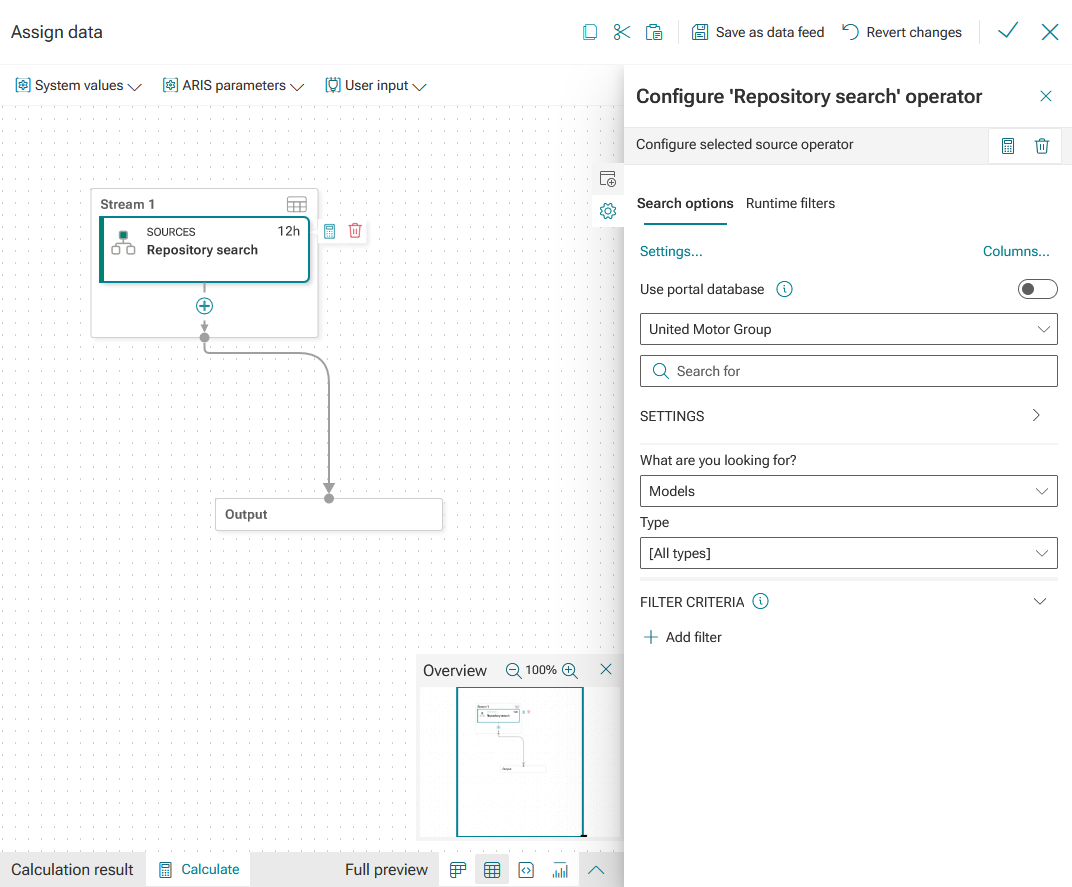
Click New search to create and configure a new repository search. An automatically generated data feed opens. The data feed contains the Repository search operator as a data source. The Repository search operator is preselected and the corresponding configuration panel is displayed. You can configure the data feed in the same way as in the data feed editor.
You can also select an already existing repository search. The Repository search panel lists all searches that were recently performed in the ARIS Repository. The search result is applied as a data source and assigned to the widget.
You assigned an ARIS Repository search as a data source.
You can now specify the data to display in the widget.
A data feed with the Repository search operator and corresponding configuration panel