Connection, implicit
Invisible connection.
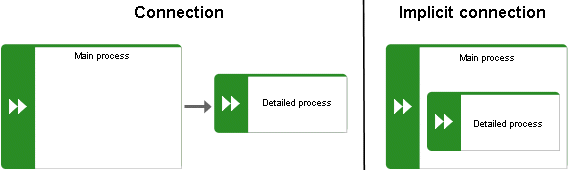
Implicit connections are created if the Create implicit connections for overlapping objects option is enabled and objects are placed within objects. In the displayed dialog, you can decide whether to hide any connections and, if so, which connections to hide for these objects. The difference between implicit connections and implicit relationships is that an implicit connection can be represented by a line in the modeling area. This line is displayed again, for example, if you drag an object from another object down into the free area of the modeling area.
Example of implicit connections:
Place a function on another function in a model of the EPC type.
In an EPC (column display) model type, place an organizational unit and an application system in the Carries out & Supports column of the Organizational elements & Application system row. Then place a function in this column.
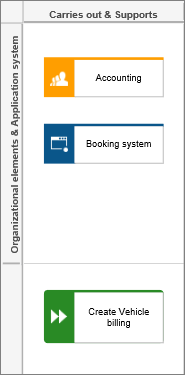
Two implicit connections are created automatically. The implicit connection is responsible for from the organizational unit to the function and supports from the application system to the function.
This needs to be differentiated from implicit relationships.