Configure the identity management service
Configure the identity management service (SCIM) in ARIS.
Prerequisite
The identity management service is enabled in ARIS Process Mining.
Open ARIS in a separate tab of your web browser.
Click
 Application launcher >
  Administration.
  Configuration is displayed.
Click User management.
Click the arrow next to SCIM.
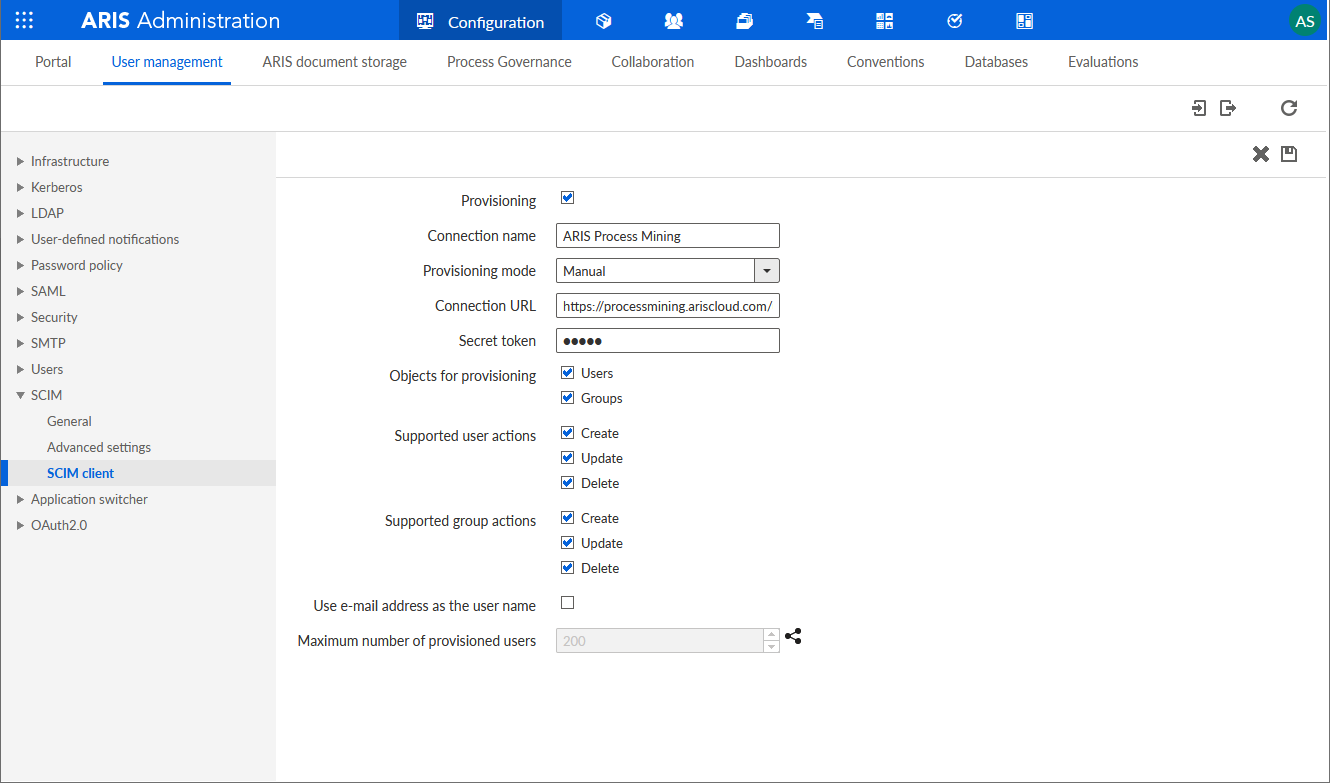
Click SCIM client.
Click
 Edit.
Edit.Make your settings.
Enable the Provisioning option.
Specify a connection name, for example, ARIS Process Mining.
Copy the token and URL of the SCIM Rest API end point created in ARIS Process Mining.
Paste the URL into the Connection URL input field.
Paste the token into the Secret token input field.
Enable the Use e-mail address as user name option to enable the user to log in to ARIS Process Mining.
For more details on configuring SCIM, see the ARIS online help.
Click
 Save.
Save.
You have enabled and configured the identity management service.
You can now transfer existing users from ARIS to ARIS Process Mining.
Configure the SCIM client for ARIS Process Mining.