Manage a widget group
You can, for example, copy or cut a widget group and paste it on another tab of the dashboard. Additionally, you can specify the background color of the group.
You can
 Copy,
Copy,  Cut,
Cut,  Paste, or
  Delete the selected widget group using the side panel. Select an area to display the side panel.
Warning
A deleted widget group cannot be restored.
To past a copied widget group onto another tab of the dashboard, for example, open a tab and click
Paste in the program header.You can specify the widget group background color.
Select an area and click
 Select all in the side panel. The entire group is selected and the Widget group panel is displayed.
Click the color box on the Widget group panel.
Select a color in the Color settings panel.
Example
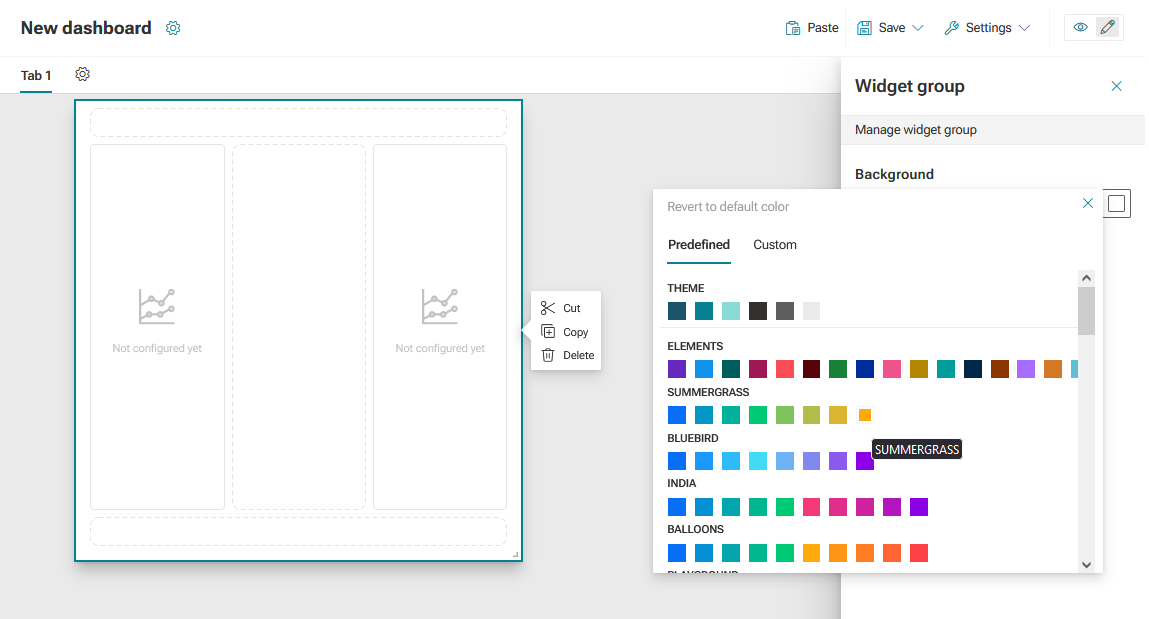
You managed a widget group.