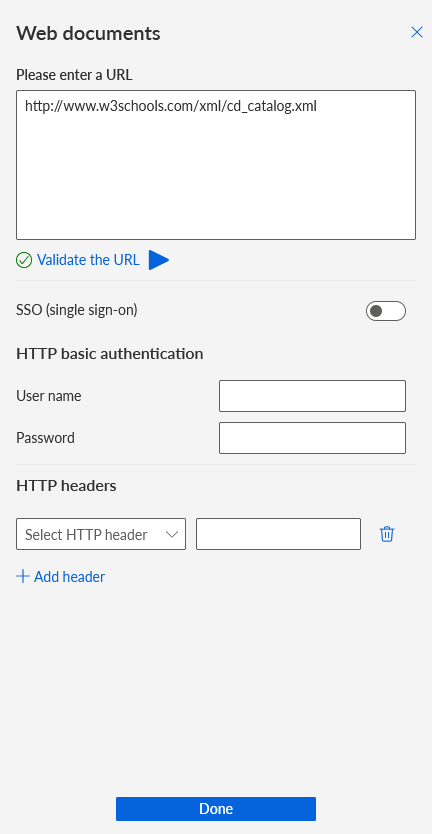
Specify a URL to a web document
You can specify a URL to a web document available in the EXCEL, CSV, XML, or JSON format as the data source.
On the dashboard, click the widget for which you want to specify a web document as a data source. The
 Setup panel of the widget is displayed.
Click Select in the Data source box. The Data source panel opens.
Click Web documents. The panel for specifying a URL opens.
Enter a URL to the web document.
Click Validate the URL to verify that the URL is correct.
Enable SSO (single sign-on) if you want to use SSO for authentication.
Specify a User name and Password if HTTP basic authentication is required.
Specify HTTP headers if required.
Click Done.
You have specified a URL to a web document as a data source.
A corresponding data feed with the specified data source is automatically created. You can edit the date feed. Click Edit in the Data source box in the Setup panel.
Example