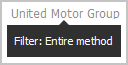
Display the current method filter
In  Home or
  Published content, you can display the method filter that is used for the selected database. Database administrators specify which method filter a user may use in ARIS. To do this, a database administrator assigns the method filter to the database.
The method filter applied depends on the method filters assigned to you.
If you were assigned only one filter, that filter is applied.
If you were assigned multiple filters:
The method filter assigned to the database is used (default filter of the database).
If the default filter of the database does not exist, the filter named Demo is used.
If the Demo filter does not exist either, the Entire method filter is applied.
If the Entire method filter also does not exist, the first method filter of the alphabetically sorted list is used.
Drag the mouse pointer over the database icon. In
Home, the database name is indicated in the Welcome bar. In Published content in the top right corner.
The name of the filter currently used for the selected database is displayed.