Use grid
Generally, you do not need the grid if you use Guided Modeling and Smart Modeling.
Guided Modeling (Show guides) provides lines and arrows that inform you about the orientation and distance of the items from adjacent items when you place or move objects and connections.
Smart Modeling provides automatic modeling features, such as creating a space for new objects, placing objects, and reconnecting connections.
Procedure. Procedure
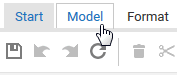
Activate the Model tab bar.
Click  Modeling area, then enable Use grid. The dot grid is displayed.